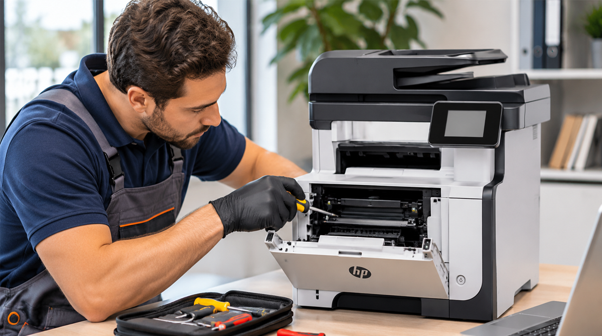
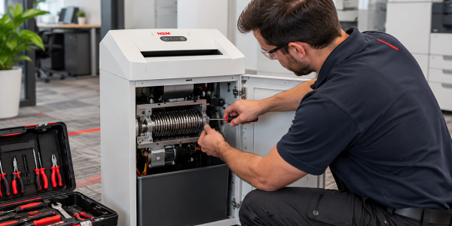
During a professional HP printer repair visit, a technician checks the machine, identifies the cause of the problem, and explains the repair needed. The visit may include checking paper jams, print quality, toner or ink supplies, internal parts, software, and network settings. Whether you need HP printer repair in Montclair, NJ, for a paper feed issue or a printer that will not turn on, a proper inspection helps find the cause instead of relying on temporary fixes.
At Ace Copy Inc., we understand how much businesses depend on their HP printers. Our goal is to help identify printer problems and get your equipment working properly again.
Why Does the Technician Start With Questions About the Printer Problem?
Before opening the printer, a technician usually asks about the problems you have noticed. This helps narrow down the possible causes and gives them a better idea of where to begin.
You may be asked questions such as:
- When did the problem first appear?
- Does the printer show an error message?
- Are paper jams happening often?
- Does the printer produce faded, streaky, or smudged pages?
- Does the issue affect every print job or only certain documents?
- Has the printer recently been moved or connected to a new network?
These details may seem small, but they can make the inspection more useful. For instance, a printer that produces streaks on every page may need a different check than one that only has trouble connecting to a computer.
How Does the Technician Inspect an HP Printer?
After learning about the problem, the technician examines the printer. The inspection may include the paper tray, feed rollers, toner or ink cartridge, drum unit, printhead, and other parts, depending on the HP printer model.
The technician also looks for visible signs of damage, dust buildup, loose parts, or paper scraps inside the machine. These issues can affect normal operation and lead to repeated printing problems.
If the printer makes unusual sounds, the technician may pay closer attention to its moving parts. Grinding, clicking, or rattling noises can point to worn or damaged components.
This step helps narrow down the issue before any repair work begins.
What Diagnostic Tests May Be Performed?
A visual check alone may not reveal every printer problem. Therefore, a technician may run diagnostic tests to understand how the machine is working.
These checks can include:
- Printing a test page to review print quality.
- Checking error codes and warning messages.
- Testing paper feeding and document output.
- Reviewing toner or ink levels.
- Checking the printer’s connection to a computer or office network.
- Testing important functions after identifying a possible fault.
For network-connected HP printers, the technician may also check drivers, connection settings, and communication between the printer and connected devices.
These tests help separate software or connection problems from hardware faults. That way, the repair can focus on the actual cause.
How Will the Technician Explain the Required Repair?
Once the problem has been identified, the technician should explain what is wrong and what needs to be done. You should have a clear idea of which part or function is causing trouble.
For instance, frequent paper jams may be linked to worn rollers or a problem in the paper path. Faded prints may point to toner, drum, or printhead issues, depending on the model. A printer that will not respond may need a closer look at its power supply, control system, or connection settings.
At Ace Copy Inc., clear communication is an important part of the repair process. Understanding the problem helps you make an informed decision about the next steps.
What Happens During the Actual HP Printer Repair?
The repair work depends on the fault found during the inspection. Some problems may only require cleaning, adjustments, or changes to printer settings. Others may need a worn or damaged part to be repaired or replaced.
Common repair tasks may include:
Clearing recurring paper feed problems: The technician checks the paper path and related parts to find why sheets keep getting stuck.
Fixing print quality issues: Problems involving toner, drums, rollers, or printheads may need cleaning, adjustment, or replacement.
Resolving connection errors: The technician may check network settings, drivers, and printer connections to restore communication with connected devices.
Addressing mechanical faults: Worn or damaged internal parts may need attention if the printer makes strange noises or fails to complete print jobs.
The right repair depends on the HP model and the condition of its components. A proper diagnosis helps avoid replacing parts that are still working correctly.
How Does the Technician Test the Printer After Repair?
Repair work does not end once a faulty part has been fixed. The technician should test the printer to check whether it is working as expected.
This may involve printing sample pages, checking paper movement, reviewing output quality, and testing the functions related to the original problem. If the printer had connection issues, the technician may also check whether it can receive print jobs from connected devices.
These final checks are important because they help confirm whether the repair has addressed the reported issue. They can also reveal other problems that may need attention.
How Can You Prepare for an HP Printer Repair Visit?
A little preparation can make the repair visit smoother. Before the technician arrives, take note of the problems you have noticed. Keep any error messages or codes available, as they may help with diagnosis.
You can also:
- Make sure the printer is easy to access.
- Keep the power cable and other connections available.
- Have the printer model number ready.
- Keep a sample of any page showing print quality problems.
- Inform the technician about recent changes to the printer or network.
If the printer is used by several employees, ask them whether they have noticed similar issues. This can help provide a clearer picture of the problem.
What Are Some Common Questions About HP Printer Repair?
How Long Does an HP Printer Repair Visit Take?
The time depends on the type of problem, the printer model, and whether replacement parts are needed. Simple issues may take less time, while complex faults may require additional inspection or repair work.
Should I Turn Off My HP Printer Before the Technician Arrives?
You can leave the printer off if it is overheating, making unusual noises, or showing signs of an electrical problem. Otherwise, follow the service instructions provided when scheduling the visit.
Can a Technician Fix HP Printer Connection Problems?
Yes. A technician can check printer drivers, network settings, cables, and wireless connections to identify why the printer is not communicating with connected devices.
Will Every HP Printer Problem Require Replacement Parts?
No. Some issues can be fixed through cleaning, adjustments, or software changes. Replacement parts are only needed when inspection shows that a component is worn, damaged, or faulty.
When Should I Schedule HP Printer Repair?
Arrange service when paper jams happen repeatedly, print quality gets worse, error messages keep appearing, or the printer stops responding. Early attention can help prevent further damage.
Where Can You Get Professional HP Printer Repair From Ace Copy Inc.?
Printer problems can interrupt important work and leave employees waiting for documents they need. Ace Copy Inc. provides professional printer repair support for businesses that depend on reliable printing equipment. Whether your HP printer has paper feed trouble, poor print quality, unusual noises, or connection issues, proper diagnosis is the first step toward a lasting fix.
For businesses looking for HP printer repair in New Jersey, getting the machine checked by experienced technicians can help reduce downtime and keep daily tasks moving.
Is your HP printer giving you trouble? Contact Ace Copy Inc. to discuss your printer issue and schedule professional repair service.
Recent Posts

How Can You Fix Smudging or Ink Bleeding Issues on Your Printer?
September 3, 2026